The ERP is twelve years old, three versions behind, customised by people who left, and it is the only place certain numbers exist. Everyone agrees it should be replaced. Nobody wants to be the one who signs off on replacing it.
That stand-off can last years, and it is usually the wrong question. Most of the value people expect from a replacement — a usable interface, data that reaches the other systems, processes that stop depending on an export — can be had by integrating around the ERP and leaving its core alone.
Decide what the ERP is actually for
Before any integration work, settle one thing: which data does the ERP own?
A legacy ERP typically holds the ledger, stock positions, the supplier master and the pricing rules. It also, by accident, holds things that drifted into it because there was nowhere else — a customer contact list someone maintains by hand, a spreadsheet imported in 2019, delivery notes in a free-text field.
The owned data stays. The accidental data is what you move out, and deciding which is which prevents the integration becoming a second system that competes with the first. Two systems that both believe they own the customer record is the failure mode worth avoiding.
Wrap it rather than modify it
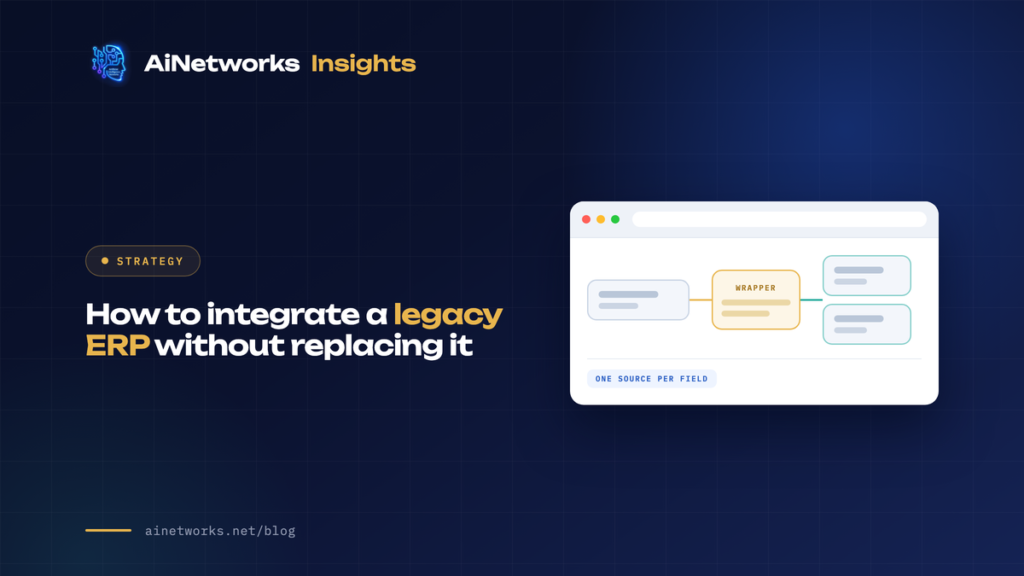
The durable pattern is to put a thin layer in front of the ERP that exposes exactly the operations you need, and to change nothing inside the ERP itself.
That matters for a specific reason: modifications inside a legacy ERP are what make it unupgradeable, and every customisation added now is another reason the eventual replacement gets postponed again. An external layer can be rewritten on a Tuesday. A customisation in the core cannot.
The wrapper also gives you somewhere to put the translation work — the field that means something different from what it is called, the status code nobody can explain, the dates stored as text — so that the mess stays in one reviewable place rather than spreading into every system that connects.
When there is no API
Plenty of legacy systems have no usable interface, and the honest options are limited. In rough order of preference:
- A supported integration module from the vendor, if one exists and the licence is affordable.
- Scheduled file exchange. Unfashionable and perfectly workable: the ERP drops a file, you ingest it, you write back the same way. Most such systems already do this for the bank or the auditor.
- Read-only database access against a replica, never the live instance. This is faster to build and more brittle, because the schema is undocumented and can change in a patch. Acceptable for reporting; risky for anything that writes.
- Screen automation. A last resort. It breaks when the interface changes and it is nobody’s friend at two in the morning.
Whichever you pick, write down what happens when the ERP is down for month-end. That is the scenario integrations are least often designed for and most often meet.
Decide who wins before you build
Two systems holding the same field will disagree. The time to decide which one is right is before the first record syncs, not during the first incident.
Per field, pick a single source of truth and make the other side read-only for it. Avoid bidirectional sync on anything you can — it is the source of most integration pain, because conflict resolution has no good general answer and every exception becomes a rule somebody has to remember.
Make the sync idempotent, so replaying a batch cannot double-post. Make failures visible to a person who can act, rather than logged into a file nobody reads. An integration that fails silently for a fortnight is worse than one that never ran, because by then the two systems have diverged and someone has to reconcile by hand.
Sequence it so value arrives early
Integration projects stall when they try to connect everything before anything ships. The way to keep support is to pick one flow that removes a visible manual task — the re-keying someone does every morning, the export emailed to finance every Friday — and deliver that first.
It is a small piece of work with a named beneficiary, it proves the connection works, and it buys the credibility to do the next one.
This buys time, it does not buy forever
Worth being straight about: wrapping a legacy ERP is a way to decouple from it, not a way to keep it indefinitely. Vendor support ends, the platform it runs on stops receiving security updates, and the people who understand it retire.
The advantage is that a wrapped ERP is far easier to replace later, because the surrounding systems talk to your layer rather than to the ERP directly. When the replacement finally happens, you change what is behind the wrapper instead of rewriting every connection. That is the real return on doing it this way.
We do this work as custom software development and AI workflow automation. Related reading: buy, build, or automate and custom feature development.
Common questions
Should we integrate our legacy ERP or replace it?
Integrate first in most cases. Replacement is slow, expensive and risky, and much of the value people want from it — better interfaces, data reaching other systems, fewer manual exports — can be delivered by wrapping the ERP. Integration also makes the eventual replacement cheaper, because other systems connect to your layer rather than to the ERP.
How do you integrate an ERP with no API?
Usually scheduled file exchange, which most legacy systems already support for banking or audit, or read-only access to a database replica for reporting. A vendor integration module is better where one exists. Screen automation works but breaks whenever the interface changes.
What is the most common integration mistake?
Bidirectional sync without deciding which system owns each field. When both sides can write, they will eventually disagree, and conflict resolution has no clean general answer. Pick one source of truth per field and make the other side read-only for it.